
|
|
|

1. Suggested Projects
 View some suggested projects for members of the Penticton Seniors' Computer Club.
2. Useful Links
 Links to other web sites that can be of interest to seniors. These include local links
as well as links from all over the world.
Links to other web sites that can be of interest to seniors. These include local links
as well as links from all over the world.
3. Games
 Games that you can play online or download and play on your computer. Some games you can play with others on the Internet.
4. Computer and Tablet Information
 What kinds of computers there are, the difference between computers and tablets, and how to find and use apps.
5. Get Help Via YouTube
 Many people create and post videos on YouTube about how to do things. These include a lot of
useful information about using computers and tablets.
Many people create and post videos on YouTube about how to do things. These include a lot of
useful information about using computers and tablets.
6. The Computer Club
 Learn about the Penticton Seniors' Computer Club, its history and how it can help you.
7. Instruction Sheets
 Instruction sheets give you instructions on how to do various computer things.
You can print them out so that you can follow them easily.
Instruction sheets give you instructions on how to do various computer things.
You can print them out so that you can follow them easily.
8. Puzzles
 Find some word and picture puzzles that you can do to test your mind and keep you busy.
9. Listen to Radio
 There are radio stations all over the world that you can listen to at your leisure using your computer.
10. Fun View of Computers
 Look at computers in a fun and interesting way. Get some different insight into computers.
11. Useful Tips
 View a list of tips and tricks for using a computer or tablet.
12. Wednesday Workshops
 Wednesdays from 1- 4 pm is a workshop for members of the club wishing to work on
various projects.
Wednesdays from 1- 4 pm is a workshop for members of the club wishing to work on
various projects.
13. Online Computer Tutorials
 These are tutorials that one can take online at home to help use your computer.
14. Tablets
 Find out about the different tablets that are now available and how to use them.
15. Home Projects
 Various projects are available which include instruction sheets which allow you to do the projects
at home.
Various projects are available which include instruction sheets which allow you to do the projects
at home.
16. You Are a Senior
 And you have never tried using a computer! Check this out.
17. Fun on Your Computer
 Click here to find several things that you can do with your computer to have some fun.
18. Comments/Suggestions
 If you are a member of the Computer Club you can submit
your comments and suggestions.
If you are a member of the Computer Club you can submit
your comments and suggestions.
19. Explore Files
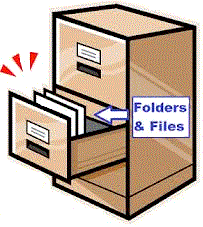 Using Windows Explorer to find and manipulate files in your computer is very useful.
Find out how to use it.
Using Windows Explorer to find and manipulate files in your computer is very useful.
Find out how to use it.
20. Fancy Writing
 Find out how to use different fonts and special characters to make your documents and messages interesting.
21. Send Ecards
 Create and send your own ecards to friends and relatives (updated April 2015).
22. Nostalgia Music
 Select a year from 1960 to 2013 and select music to watch and listen to.
© 2015 Penticton Seniors Computer Club